Menu
Altoshift Logo
LoginRegister
🌜
🌞
Altoshift Logo
  • Login
  • Register
  • Getting Started
    • Introduction
    • Create Engine
    • Integration
  • Features
    • Autosuggestions
    • Boosting
    • Custom Result
    • Synonym
    • Geo Search
  • Client Panel
    • Register
    • Create Engine
  • Quota Limit
    • Quota Limit
  • API Reference
    • API Introduction
    • Generic API
      • Sync Custom Fields
      • Read Mapping
      • Upsert (Update/Insert) Products
      • Delete Products
      • Delete All Products
      • Update Boosting by Query
      • Upsert (Update/Insert) Categories
      • Delete Categories
      • Delete All Categories
      • Sync Search Parameter
      • Read Mapping Search
    • Recommendation
      • Add Transaction Data
      • Process Recommendation
      • Get Recommendation Process Status
      • Get Recommendation
      • Clear Recommendation
    • Search
      • GET Categories
      • GET Items
      • GET Suggestions
    • Stats
      • (POST) Push Click Stats
      • (GET) Push Click Stats
      • (POST) Push Checkout Stats
      • (GET) Push Checkout Stats
      • (POST) Push productView Stats
      • (GET) Push productView Stats

Register

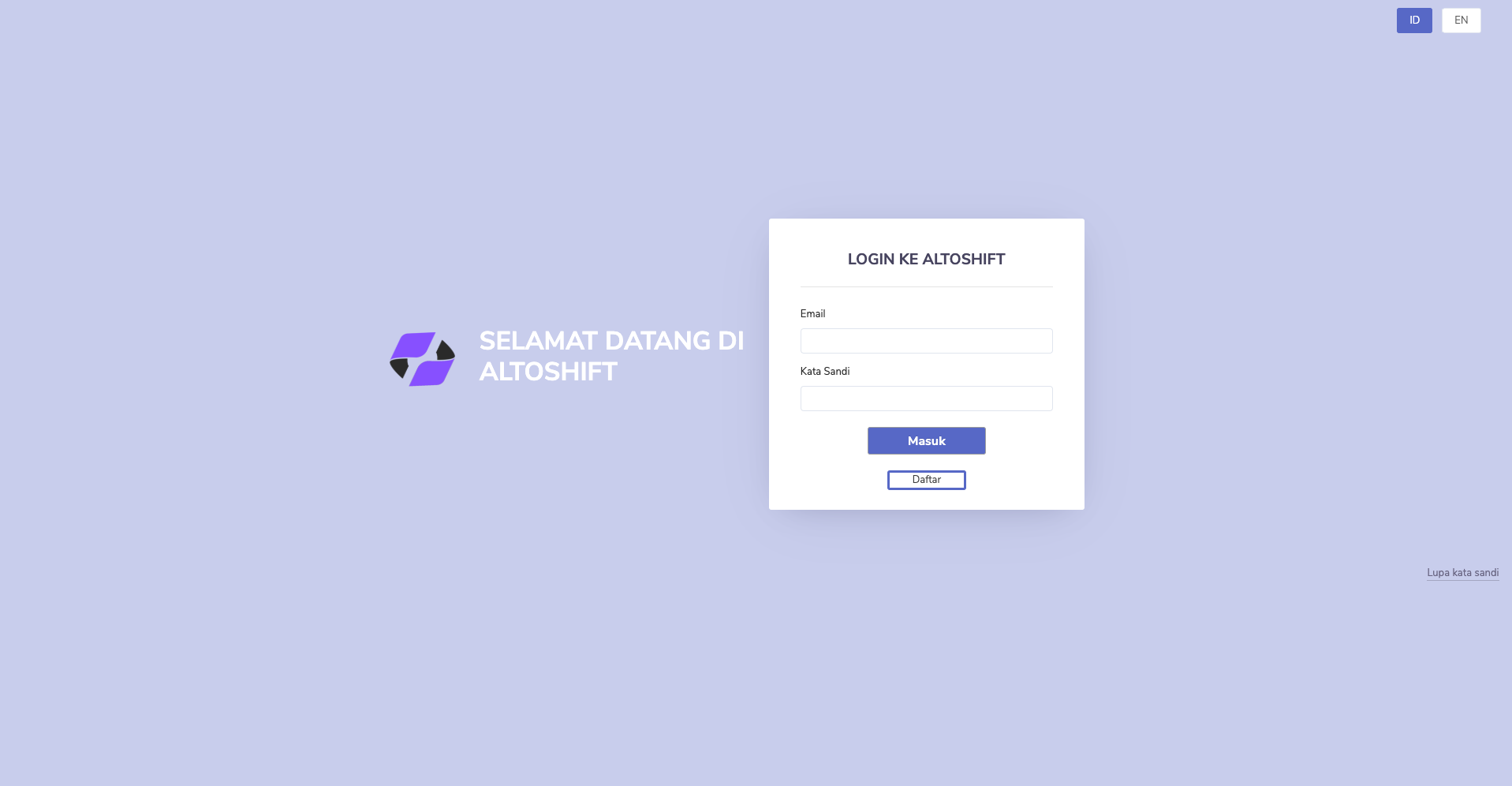
Step 1 - Go to Altoshift Dashboard#

Go to https://client.altoshift.com
regisiter1

Step 2 - Register#

Click button “Daftar” to Register page
regisiter2

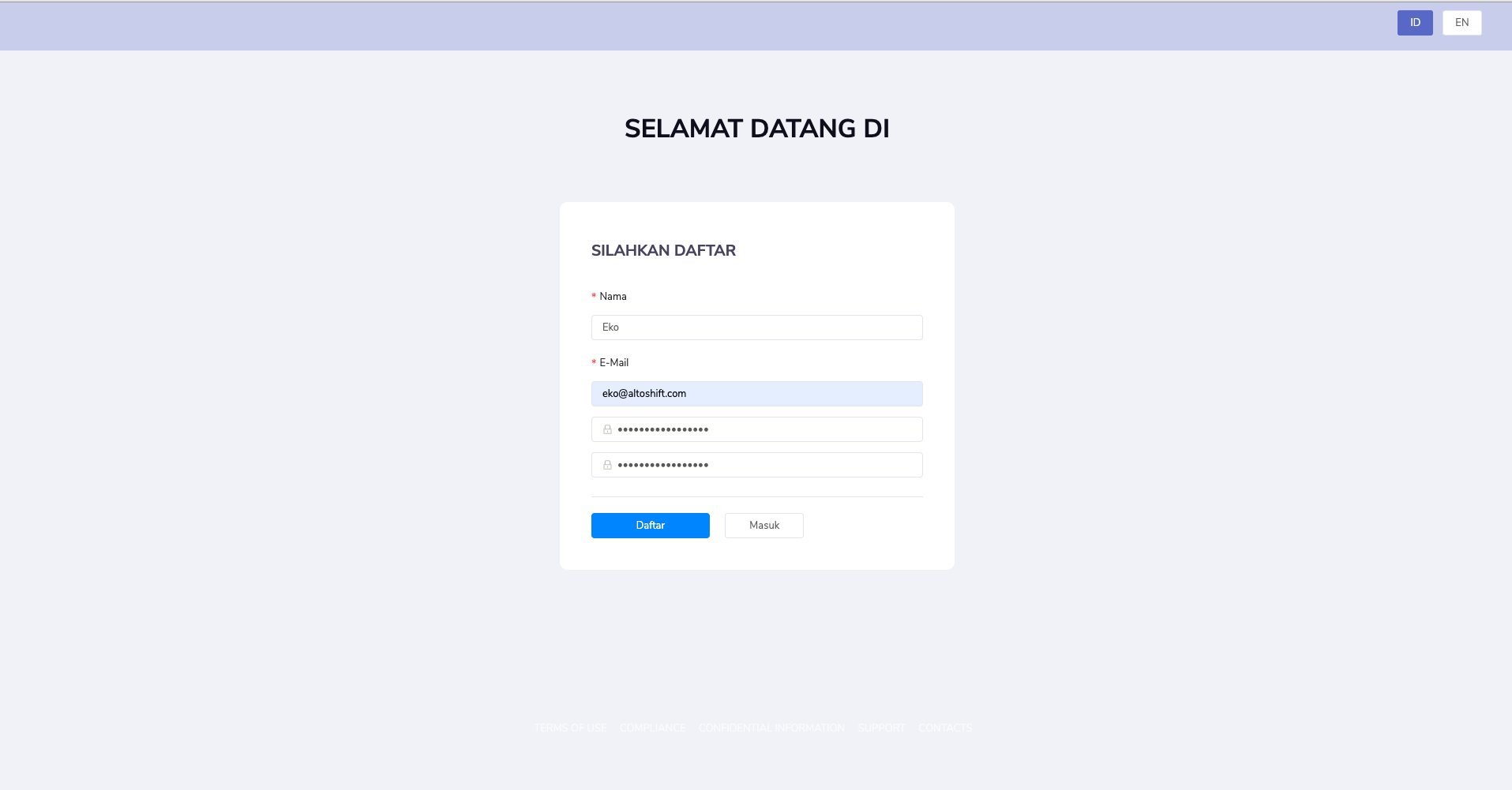
Step 3 - Fill the registration form#

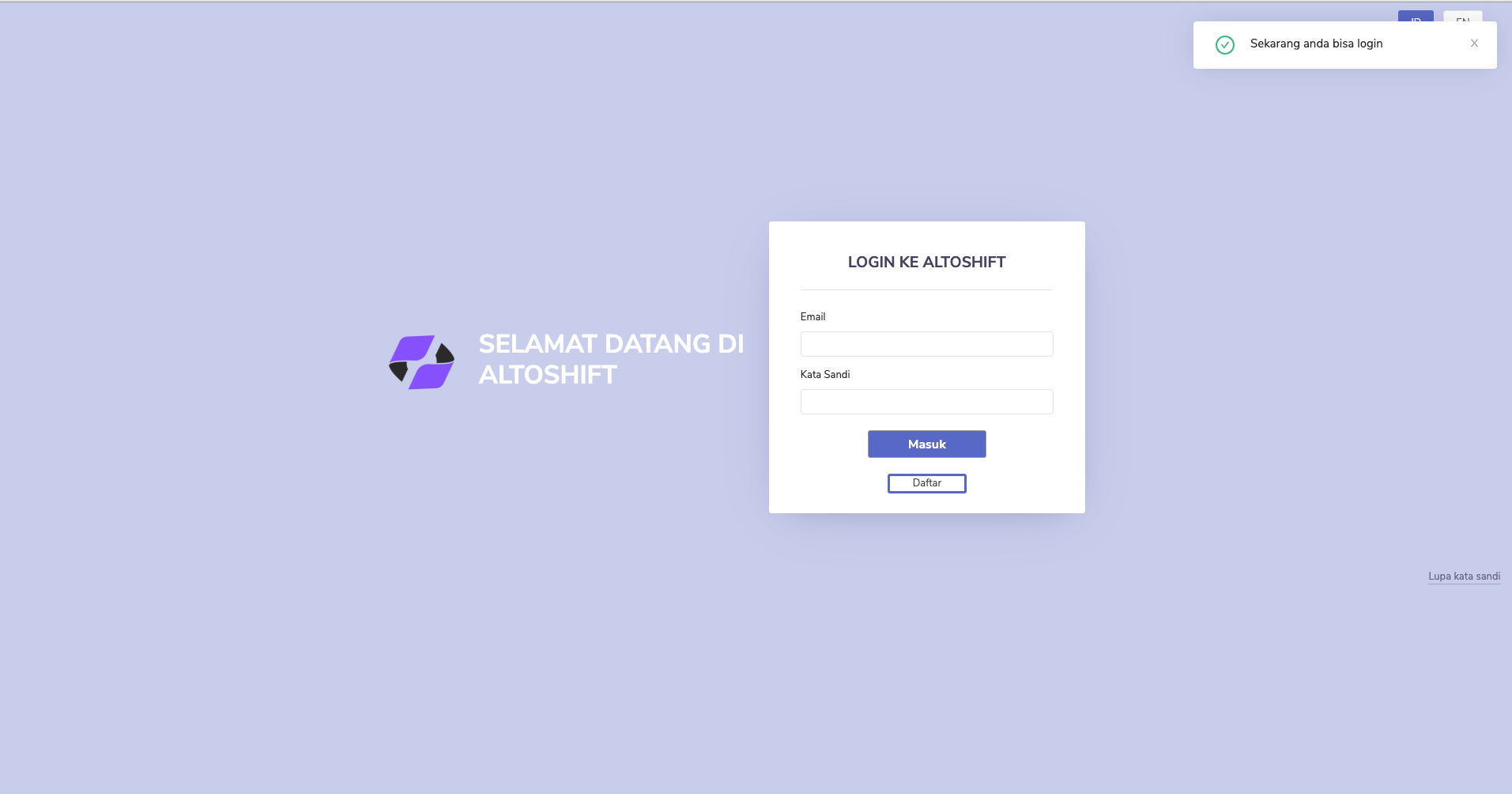
Fill the Registeration Form and after fill the form Click “Daftar” to Sign up your account, if your registration success, you’ll see popup message “Now you can login".
regisiter3

Step 4 - Login#

Login to Altoshift Dashboard

Edit this page
Previous
« Geo Search
Next
Create Engine »
  • Step 1 - Go to Altoshift Dashboard
  • Step 2 - Register
  • Step 3 - Fill the registration form
  • Step 4 - Login

Community

  • Facebook
  • Linkedin
  • Instagram

More

  • Blog
Copyright © 2021 Altoshift.